Coming soon to macOS & Windows

Put your hardware to work. Stop uploading to compress and convert.

You own a powerful machine. Why send your private files to a random cloud server just to make them smaller? TinyPixels uses your local CPU to compress and convert images up to 90% smaller in milliseconds—with zero privacy risks.

Join the waitlist for early access and a launch discount.

See pricing →
TinyPixels

Local Image Compressor & Converter for macOS & Windows

Your hardware is capable. Use it.

Cloud tools are slow, expensive, and a privacy nightmare. We rebuilt image compression and format conversion from the ground up to leverage the raw power of your local CPU.

Supports: JPEG · PNG · WebP · AVIF · GIF

TinyPixels
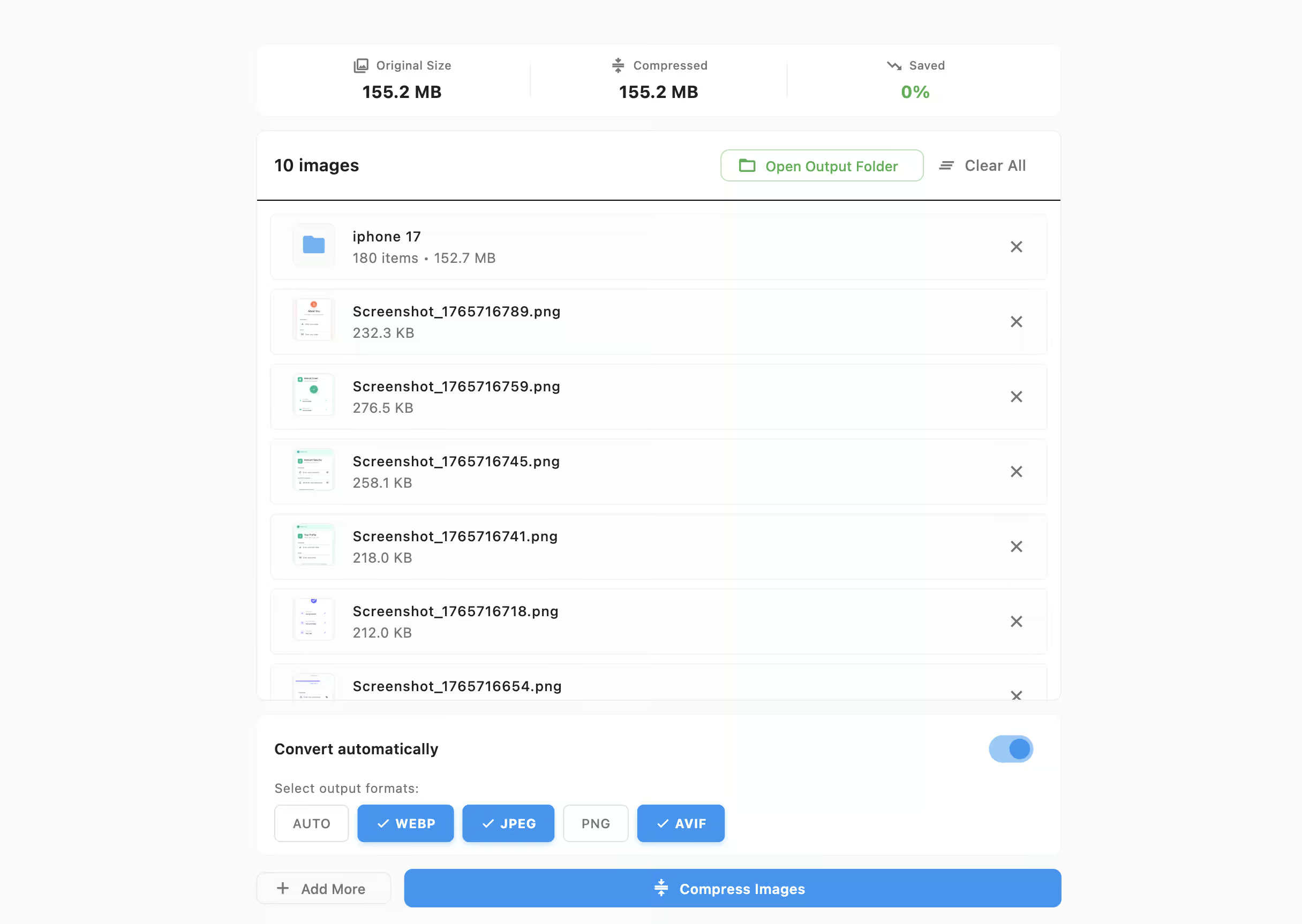
Compress & Convert Interface
Watch Folders Interface
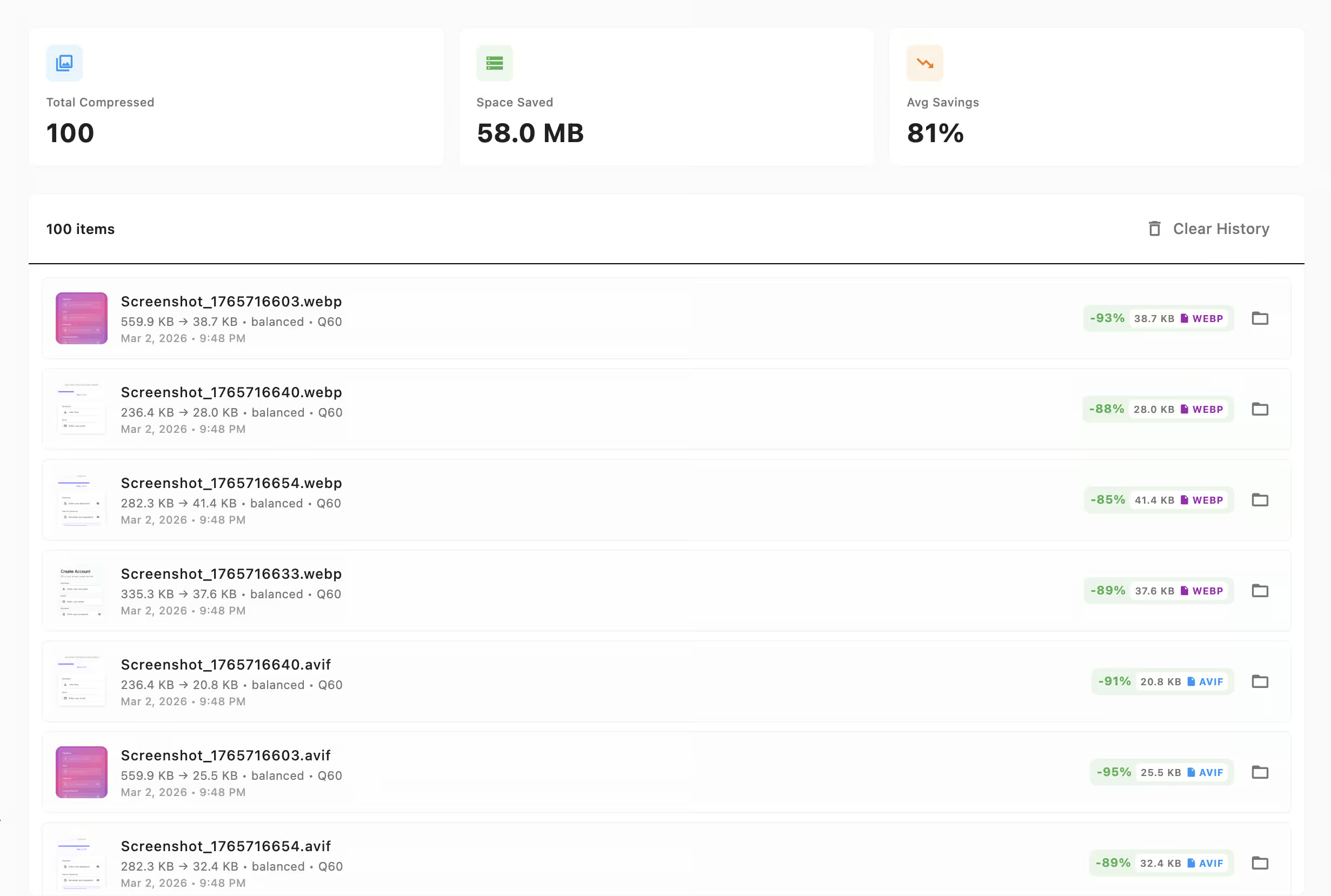
History & Stats Interface
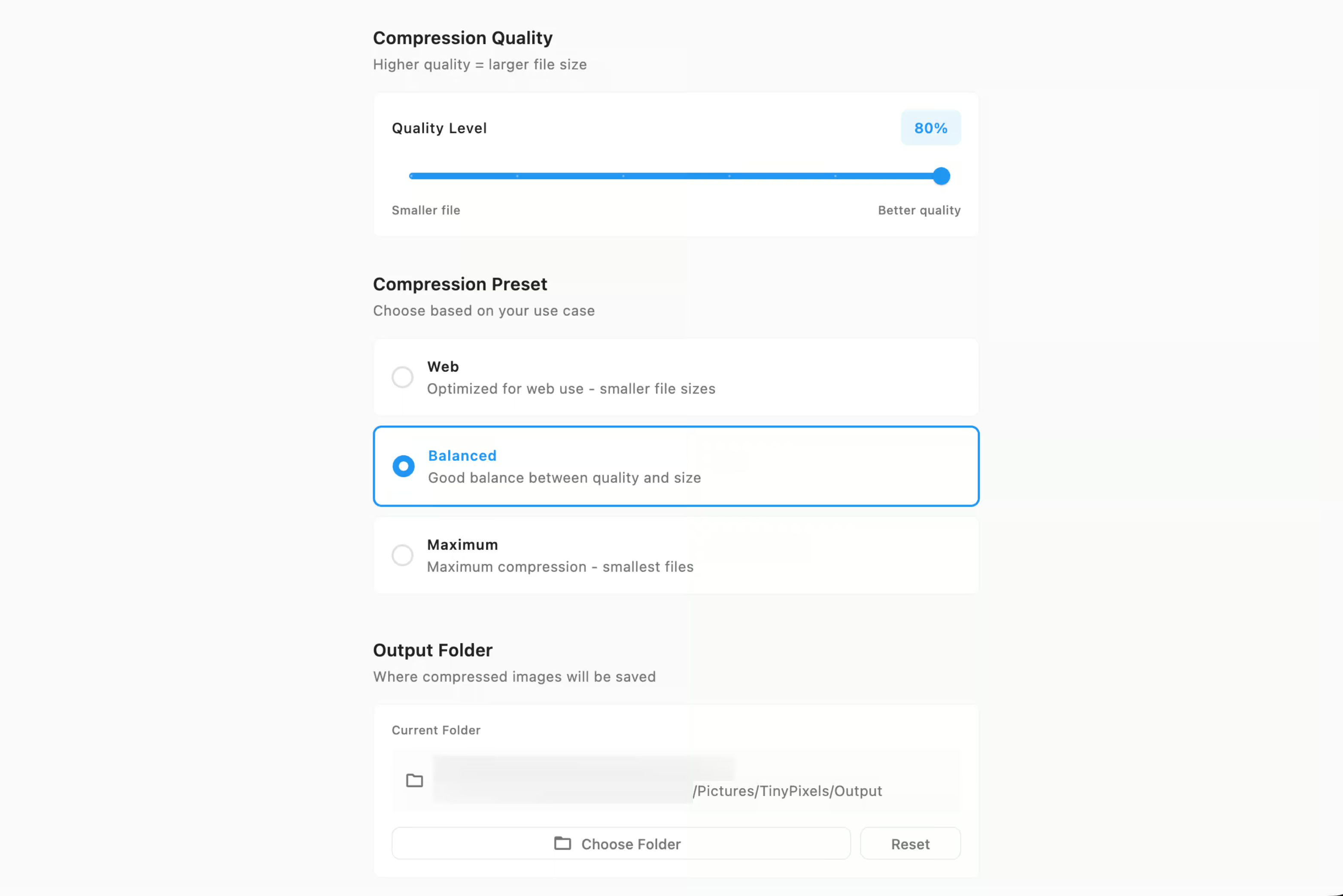
Pro Settings Interface

How it works

Three simple steps to significantly smaller file sizes and modern formats.

1

Drop it in.

Simply drag and drop your massive folders of PNGs, JPGs files directly into the TinyPixels app.

2

Local Magic.

Our engine instantly fires up all your CPU cores. Zero data leaves your machine. Your privacy is protected.

3

Instant Export.

Files are exported directly to your chosen folder, up to 90% smaller or converted to modern formats like WebP and AVIF.

Can you tell the difference?

Move the slider to compare the compressed image with the original. The file size is reduced by more than 75%!

Compressed Image
Original Image
Original5 MB
TinyPixels593KB

Frequently Asked Questions

Is there a subscription fee?

No strings attached. We offer a completely free version of TinyPixels so you can evaluate it on your machine. Bulk format conversion and other pro features are a simple one-time payment for a lifetime license. Pay once, use it forever.

Do I need an internet connection?

Absolutely not. TinyPixels runs 100% locally on your machine. You can compress files on an airplane over the Atlantic Ocean.

Does this work on Windows?

We are launching macOS first, but the core engine is fully cross-platform. The Windows release will follow very shortly after!

Can I convert PNG and JPEG to WebP?

Yes! TinyPixels includes a powerful local image converter. You can drag and drop thousands of PNGs and JPEGs and instantly convert them to next-generation formats like WebP or AVIF, saving massive amounts of disk space.

How do I bulk convert images to AVIF?

AVIF offers superior compression over WebP. With TinyPixels, simply select "AVIF" as your target format, drop your entire folder of images into the app, and our engine will utilize all your CPU cores to transcode them locally in seconds.

Will this drain my battery?

TinyPixels is highly optimized to be extremely lightweight and efficient. It compresses files in milliseconds, running quietly in the background without draining your battery or slowing down your actual workflow.

Is it safe to compress private images online?

Online tools require you to upload your files to their servers, which means trusting a third party with your data. TinyPixels eliminates this need completely. By compressing everything 100% offline on your own machine, you have the absolute certainty that your private files never leave your computer.

How to compress images without losing quality?

TinyPixels uses advanced, perceptually lossless compression algorithms. This means the file size is reduced by up to 90%, but the visual quality remains virtually indistinguishable from the original to the naked eye.

Does compressing an image change its dimensions?

No. TinyPixels reduces the file size by optimizing the data within the image, not by shrinking the physical dimensions or resolution. Your 4K image remains a 4K image, just significantly smaller in megabytes.

Is there an image compressor with no file size limit?

On the Pro plan, yes. Because TinyPixels runs locally on your hardware rather than a cloud server, the Pro plan imposes no file size limits, no daily caps, and no usage meters. The free tier supports files up to 5MB — upgrade once for a lifetime of unlimited processing.